

Mac + iPhone · no account

Your vault.Your Mac.No landlord.

A password manager that lives on your devices, not on someone else’s server. No account, no sign-in, no yearly price rise. Bring everything from 1Password in one go, and fill a whole form with one ⌘V.

macOS, with an iPhone companion. Touch ID unlock. Sync through a relay that only ever sees ciphertext.

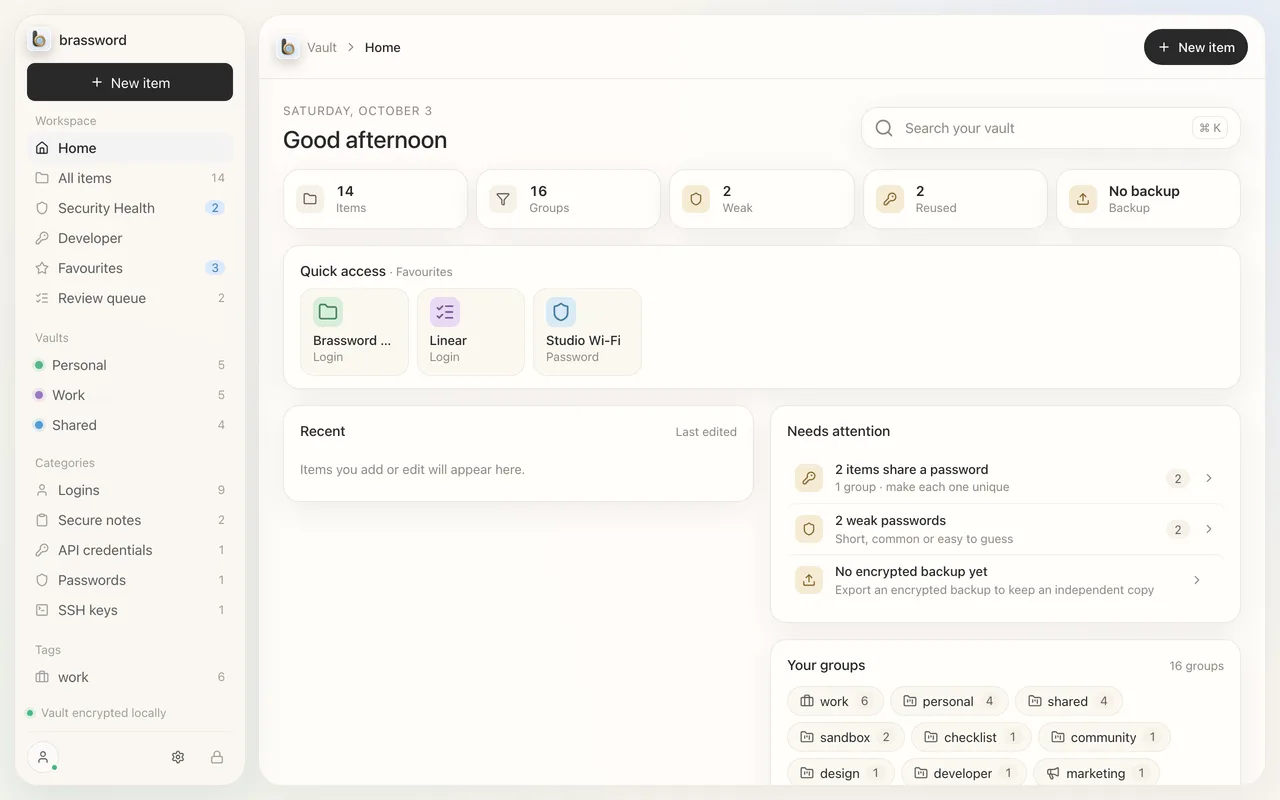
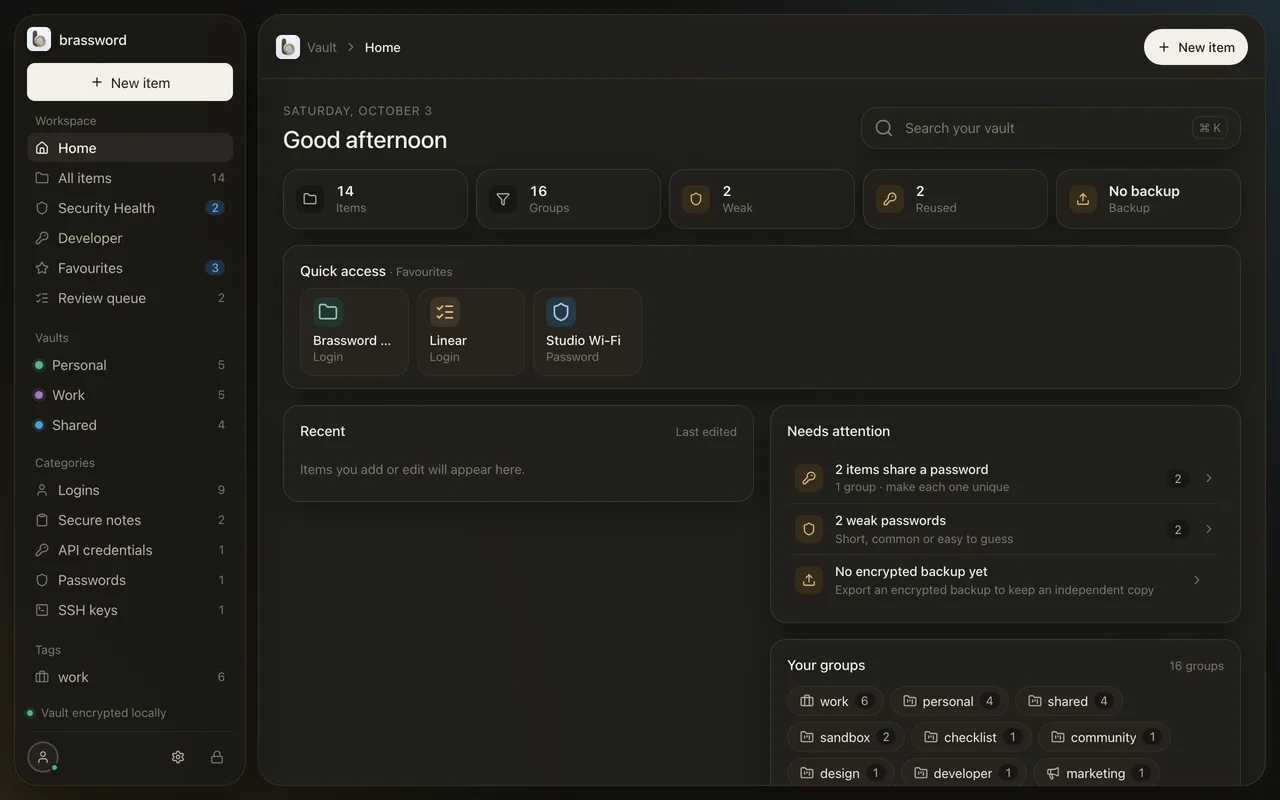
Brassword’s Home view: item count, weak and reused passwords, and backup statusBrassword’s Home view: item count, weak and reused passwords, and backup status

Passport to Example Air: copying and pasting takes 8 trips; with Brassword one ⌘V fills all 8 fields.

Brassword Autofill

One paste. The whole form.

Pick the passport, card or identity in Brassword, click the form, press ⌘V. Every field fills at once: names, dates, dropdowns, in any app on your Mac.

Drop in your .1pux

Logins, cards, notes, SSH keys and their attachments.

1Password exportHow switching works

Bring everything

Leave 1Password in a minute, not a weekend.

Export a .1pux file and drop it on Brassword. Logins, cards, notes, identities, bank and email accounts, API credentials, SSH keys, crypto wallets and documents come across, with their attached files as encrypted attachments. Importing again doesn’t make duplicates.

See the three steps

More than passwords

Passports, cards, SSH keys. All in one vault.

23 item types, from logins and Wi-Fi to visas, servers, databases and crypto wallets. Tap the folder or the wallet.

Logins, passports, SSH keys…

TRAVEL

4000 0000 0000 0002

A. EXAMPLE
VALID THRU09 / 29
EVERYDAY

5555 0000 0000 4444

A. EXAMPLE
VALID THRU12 / 28

2 cards

ENCRYPTED ON THIS MAC

…and the cards in your wallet.

  • Document numberL898902C3check digit ✓
  • NationalityUTO
  • Date of birth1974-08-12check digit ✓
  • Expiry2012-04-15check digit ✓

Point the camera

Scan a passport. Skip the typing.

Brassword reads the machine-readable lines on the photo page, on your Mac, and checks every check digit before it fills in the item. Cards and documents scan into an Inbox for you to file.

Shown with the ICAO specimen passport, not a real person’s.

Touch to open

Encrypted on your Mac. Opened with your finger.

Your vault is encrypted on the device with a passphrase only you know. Touch ID opens it day to day, through a key held by your Mac’s Secure Enclave. There’s no account, so there’s no account to break into.

How it’s built

Locked

On your iPhone too

Mac to iPhone, and the relay sees only ciphertext.

Pair with a QR code. Changes travel encrypted, so the relay in between stores bytes it can’t read. The iPhone app is a companion: it shows, searches and copies what’s on your Mac.

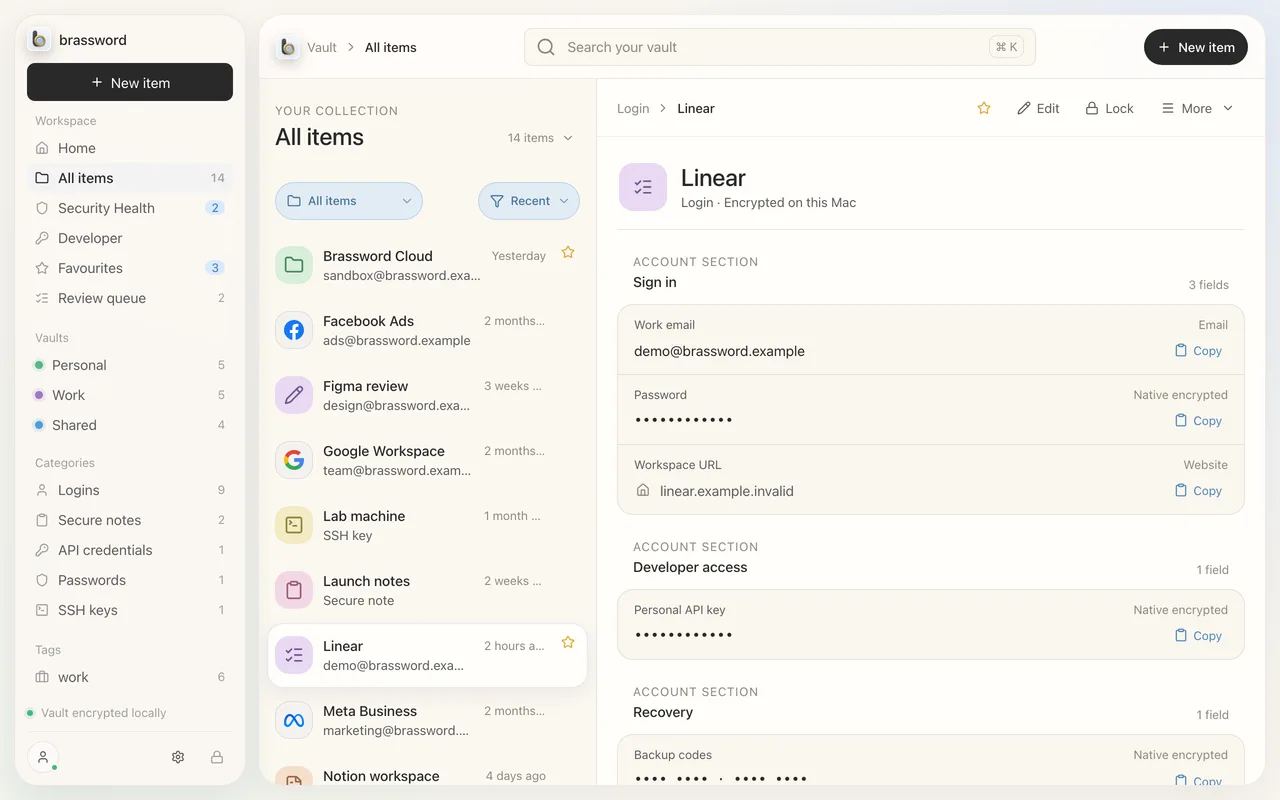
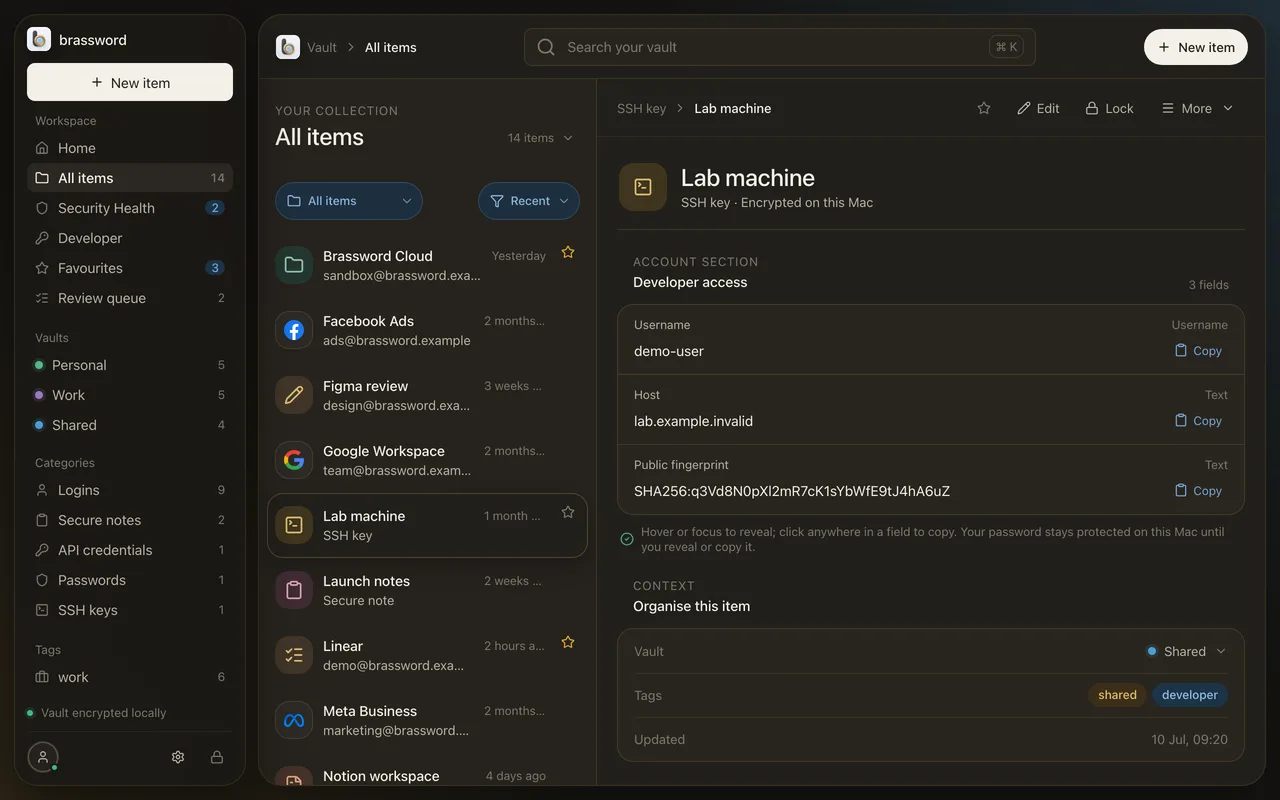
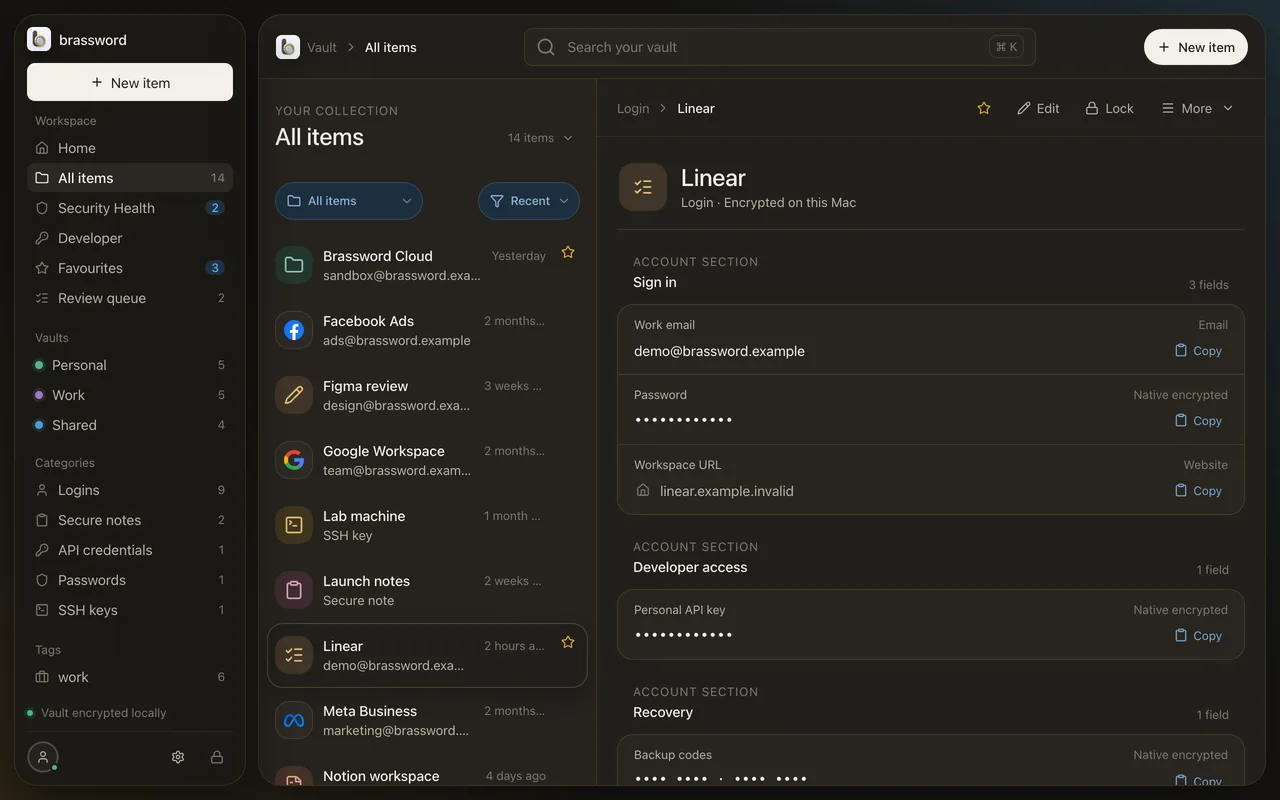
An item open in Brassword on the MacAn item open in Brassword on the Mac

Keep watch

See what needs fixing, on the first screen.

Home shows weak and reused passwords, items about to expire, and whether you have a recent encrypted backup. All worked out on your Mac.

Items

14

in the demo vault

Weak

2

fix first

Reused

2

1 group

Home in Brassword with the Needs attention listHome in Brassword with the Needs attention list

A way back in

Forget your passphrase, keep your vault.

Set up a Recovery Key and you can get back in if the passphrase goes. Export a portable encrypted backup whenever you like, restore it on a fresh Mac, and Brassword refuses to quietly roll back to an older copy.

Side by side

What you get, and what you don’t yet.

Brassword compared with 1Password Individual, October 2026.
Brassword1Password
Price$49 once$47.88 a year (since March 2026)
Account neededNoYes
Where your vault livesEncrypted on your Mac and iPhoneEncrypted on 1Password’s servers
Passports, cards, SSH keysYesYes
Import from 1PasswordYes, most item types—
Mac appYes, not ElectronYes
iPhoneCompanion appFull app
Browser extensionNot yetYes
PasskeysNot yetYes
Windows, Android, webNoYes

You don’t rent it

One price. Mac and iPhone. Sync included.

1Password Individual went from $35.88 to $47.88 a year in March 2026. Brassword is $49, once. Your data is always exportable, even if you never pay us again.

Work out your 5-year cost
Founders price lock

Brassword for Mac + iPhone

One licence, every feature. No account.

$49once

1Password Individual: $47.88 every year

  • The Mac app, plus the iPhone companion
  • Encrypted Mac ↔ iPhone sync, included
  • 1Password import, passport and card scanning
  • Your data exports any time, even if you never pay again
Buy Brassword · $49

Launch price, locked for founders. Checkout isn’t open yet; full licence terms come with it. Requires macOS.

Questions

How do I move over from 1Password?

Export a .1pux file from 1Password’s desktop app and drop it on Brassword. Logins, passwords, notes, cards, identities, bank and email accounts, API credentials, SSH keys, crypto wallets, medical records and documents import, with attached files as encrypted attachments. A few 1Password types, such as passports and servers, don’t import yet: Brassword counts them and tells you. Run it again later and it won’t create duplicates.

What happens if I forget my passphrase?

If you set up a Recovery Key, you can use it to get back in. Without one, nobody can open the vault for you, including us, because we never had it. Brassword nudges you to set one up and to export an encrypted backup.

Who runs the sync relay, and what can it see?

We run a small relay between your Mac and iPhone. It stores and forwards encrypted bytes. It never receives your passphrase or your keys, so it can’t read your items.

Do I need an account?

No. There’s no sign-up, no email and no sign-in. Your vault stays on your devices.

Is there a browser extension, passkeys or Windows?

Not yet. Brassword is a Mac app with an iPhone companion. There’s no browser extension, no passkey support, no iPhone AutoFill and no Windows or Android app today. We’d rather say so than surprise you.

Why is it paid?

Because you’re the customer, not your data. You pay once, and the app keeps working. There’s no subscription to lapse.

Buy it once.
Keep it yours.